
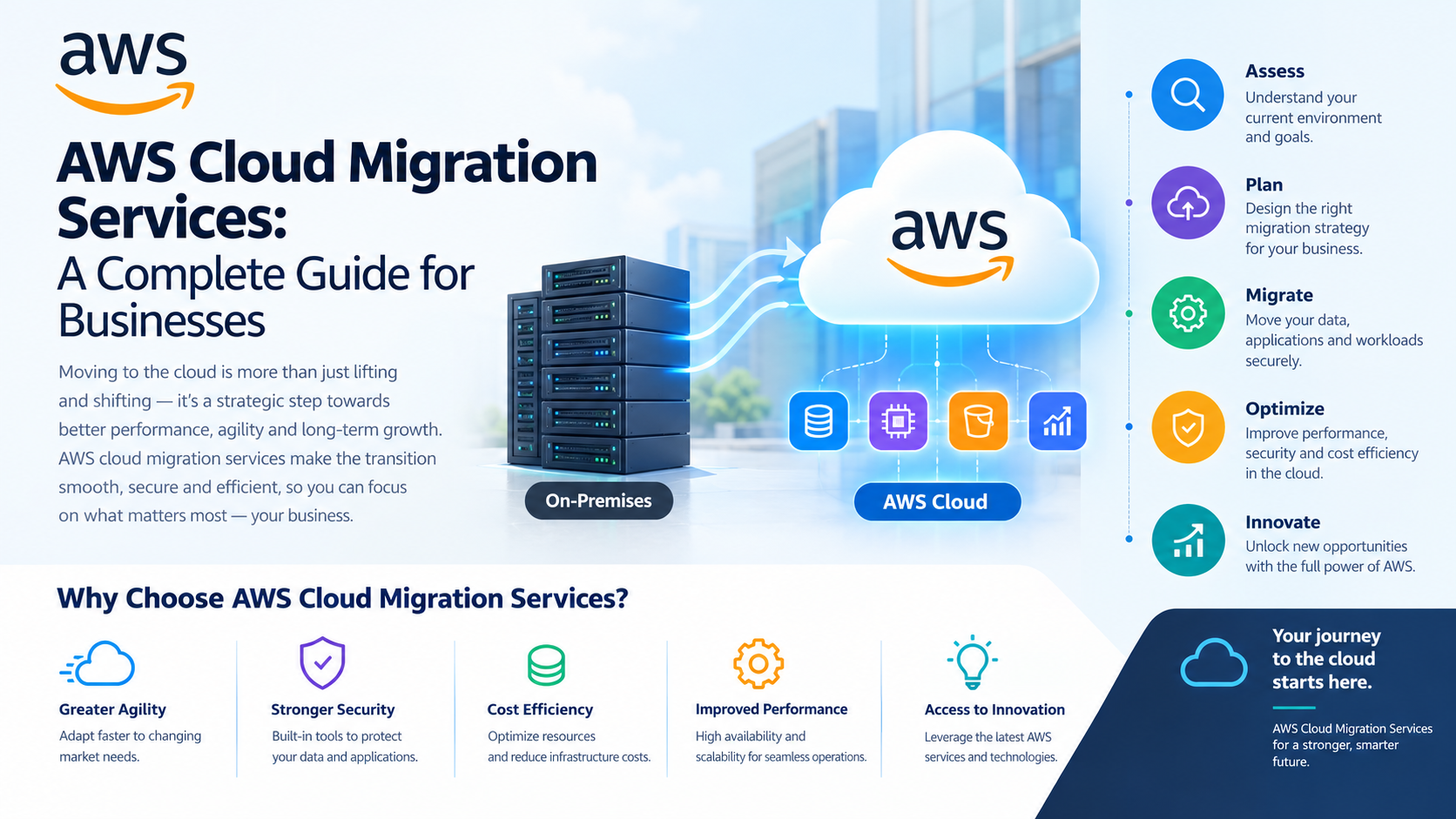
Moving business applications to the cloud is a major decision. Companies may want to leave aging servers behind, reduce infrastructure maintenance, improve application performance, or make it easier for employees to access business systems. However, moving workloads without a clear plan can lead to unexpected costs, downtime, and technical problems.
This is why AWS cloud migration services are important for businesses planning to move their applications, databases, and IT infrastructure to Amazon Web Services (AWS). A well-planned migration helps organizations understand their existing systems, choose a suitable migration approach, and prepare their applications for the new environment.
The process is not simply about moving data from one place to another. It involves making decisions about architecture, security, performance, costs, and the way applications will be managed after the move.
AWS cloud migration involves transferring applications, databases, storage, and other IT resources from existing infrastructure to AWS. Depending on the business requirements, the migration may involve moving an entire data centre, transferring selected workloads, or gradually shifting applications to the cloud.
For example, a company running its website, customer database, and internal business applications on physical servers may decide to move these systems to AWS. Some applications might be transferred with minimal changes, while others may need updates to work efficiently in the cloud.
Professional AWS cloud migration services help businesses assess these requirements before making changes. This preparation reduces uncertainty and gives teams a clearer understanding of the work involved.
Cloud migration is not automatically the right choice for every application. However, it can offer important advantages when the existing infrastructure no longer meets business needs.
Less dependence on physical infrastructure
Maintaining on-premises servers requires equipment, space, power, and regular maintenance. Moving suitable workloads to AWS reduces the need to manage physical hardware directly.
More flexible resource usage
Businesses can adjust cloud resources as application demands change. This can be useful for seasonal businesses, growing companies, and applications with changing traffic patterns.
Better disaster recovery options
AWS provides services that can support backup, replication, and recovery planning. With the right design, businesses can prepare for hardware failures and other disruptions more effectively.
Access to a wider range of cloud services
Organizations can use AWS services for databases, analytics, monitoring, security, application hosting, and other requirements without building every capability themselves.
These benefits depend on choosing suitable services and managing the environment properly after migration.
A successful migration starts with understanding what the business already has and what it expects from AWS. The following stages help organize the work.
1. Assess Existing Applications and Infrastructure
Before moving anything, businesses need an accurate view of their current environment. This includes servers, databases, applications, network connections, software dependencies, and existing security controls.
An assessment helps identify which workloads can move easily and which may require additional planning. It can also uncover applications that are no longer needed or systems that depend on older technologies.
During this stage, businesses should document performance requirements, data sensitivity, downtime limits, and any compliance obligations.
2. Select the Right Migration Strategy
Not every application needs the same migration approach. Some workloads can move with minimal changes, while others benefit from redesigning or replacing certain components.
AWS migration planning often considers six common strategies:
Choosing the right approach helps control migration effort and avoids making unnecessary changes to systems that already meet business needs.
3. Design the AWS Environment
Once the migration strategy is clear, the next step is to prepare the target environment. This includes planning networks, computing resources, storage, identity permissions, monitoring, and security controls.
The architecture should reflect how the application will be used, how much traffic it may receive, and how it should recover from failures.
Businesses should also establish access rules and decide how cloud resources will be monitored. Good design at this stage helps avoid costly corrections after applications are live.
4. Move Data and Applications
Migration teams then transfer the selected workloads and data to AWS. The exact process depends on the size of the data, application dependencies, network capacity, and acceptable downtime.
Databases may require replication or carefully planned transfer windows. Applications may need configuration changes, updated connections, or new deployment settings.
For critical systems, teams should test the migration process before the final move. A clear cutover plan helps everyone understand when the application will switch to AWS and what to do if something goes wrong.
5. Test Before Going Live
Moving an application successfully does not automatically mean it is ready for production.
Teams should test application functionality, data accuracy, access permissions, response times, integrations, and recovery procedures. They should also confirm that monitoring and alerts are working as expected.
User acceptance testing can help establish whether the migrated application meets business requirements. Any serious issues should be resolved before the system becomes fully dependent on the new environment.
6. Optimize After Migration
The work continues after applications start running on AWS. Resource usage, cloud spending, performance, and security settings should be reviewed regularly.
Some resources may be larger than necessary, while other workloads may need additional capacity. Businesses should also review backup policies, remove temporary migration resources, and update technical documentation.
Ongoing optimization helps ensure that the benefits expected from AWS cloud migration services continue beyond the initial project.
Migration projects can encounter problems when teams underestimate the complexity of their existing systems.
These challenges can be reduced through early assessment, realistic timelines, proper testing, and clear ownership of migration tasks.
There is no fixed price for every migration. Costs depend on the number of applications, data volume, infrastructure complexity, migration strategy, downtime requirements, and the amount of redesign needed.
Businesses should consider both the migration project cost and the ongoing cost of running workloads on AWS.
Cloud expenses may include computing, storage, data transfer, managed services, monitoring, and backup resources. There may also be costs associated with consulting, testing, staff training, and temporary parallel infrastructure.
A useful migration budget separates one-time project expenses from recurring cloud charges. Estimating both helps businesses compare options and avoid focusing only on the initial migration cost.
The right migration partner should understand both the technical environment and the business reason for moving to AWS.
Before selecting a provider, consider its experience with similar workloads, its assessment process, its security practices, and the clarity of its migration plan. Ask how it handles testing, downtime, unexpected issues, and knowledge transfer to your internal team.
A reliable partner should explain why a particular migration strategy suits your application rather than recommending the same approach for every workload.
Goognu can be considered when exploring AWS cloud migration and infrastructure consulting support. The appropriate engagement should be based on your current environment, migration goals, budget, and internal capabilities.
Moving to AWS can help businesses modernize their infrastructure, respond to changing demand, and access a wider range of cloud services. However, these outcomes depend on careful preparation and ongoing management.
AWS cloud migration services help organizations assess existing workloads, select suitable migration strategies, prepare the target environment, and test applications before going live. They also help businesses plan for security, costs, and operational requirements after the move.
Rather than migrating everything at once without a clear reason, start by identifying the applications that would benefit most from the cloud. Build a realistic roadmap, test the approach, and use the results to guide the next stage.
A thoughtful migration gives your business a stronger foundation for managing applications and adapting to future technology needs.










 India
India

 Canada
 United Kingdom
 New Zealand
 USA
USA
 UAE
UAE
 SGP
SGP
 Australia
 CALL
NOW
CALL
NOW