
An AWS environment can work well for months and still have problems that are easy to miss. A database may be running with unnecessary resources, backups may not be tested regularly, or a production application may depend on a single component that could fail. These issues often remain unnoticed until they affect performance, increase costs, or interrupt business operations.
An AWS Well-Architected Review helps businesses examine their cloud setup, identify weaknesses, and decide what needs improvement. Rather than focusing only on whether an application is running, the review looks at how well the infrastructure supports security, reliability, performance, cost, and business requirements.
For organizations using AWS, this process provides a useful opportunity to understand existing risks and make informed decisions about their cloud environment.
An AWS Well-Architected Review is an assessment of a workload against established architectural best practices. It helps teams understand whether their infrastructure has been designed and operated in a way that supports its intended purpose.
The review may cover application architecture, network configuration, identity permissions, data protection, monitoring, deployment practices, and recovery planning.
For example, a business may have an application that performs well during normal traffic but struggles when demand increases. The review can help identify whether the problem relates to resource sizing, application design, database capacity, or another part of the environment.
The goal is not to change everything at once. It is to find meaningful improvements, understand their importance, and create a realistic plan for addressing them.
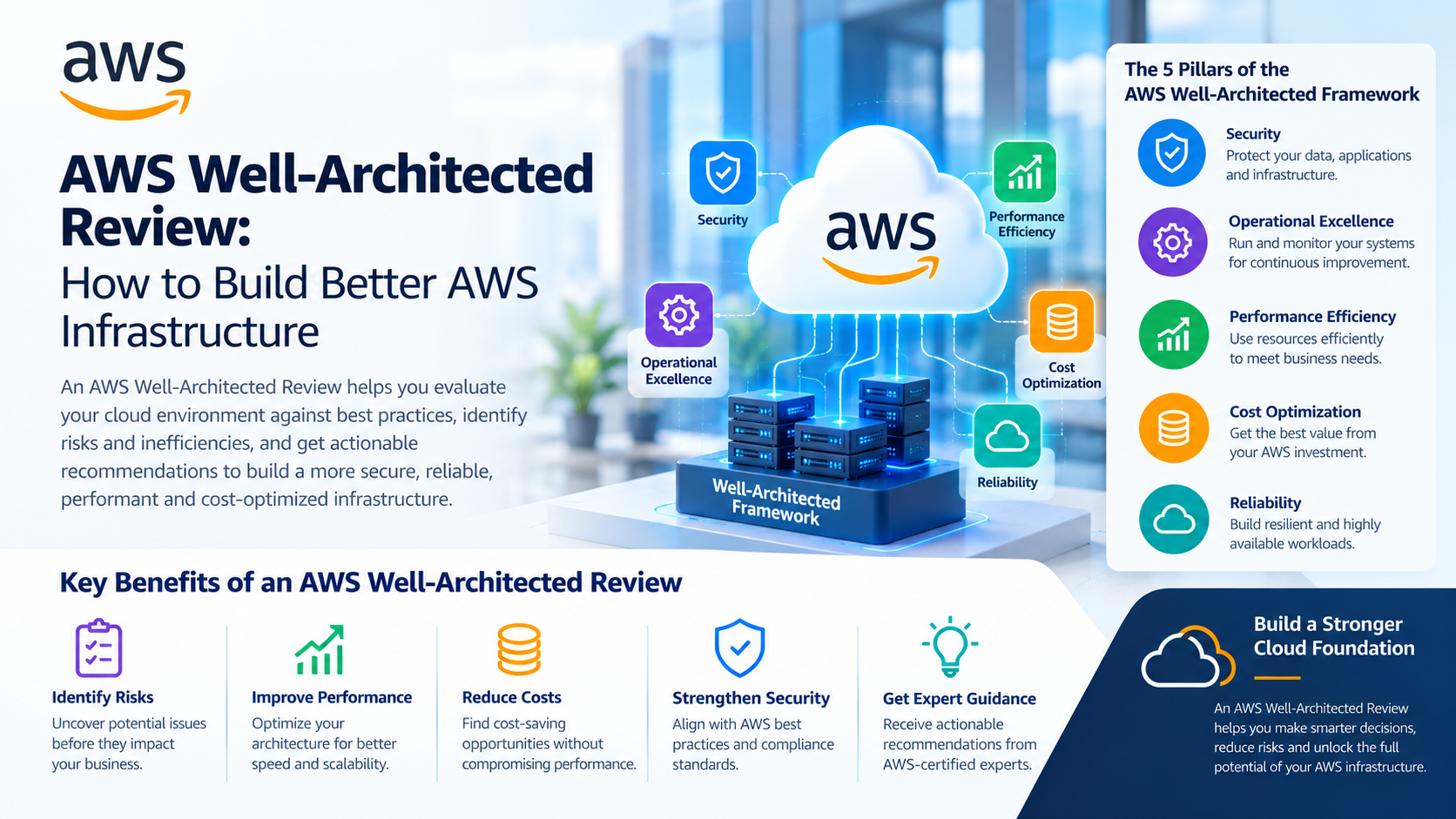
AWS organizes its Well-Architected Framework around six pillars. Each one addresses a different aspect of cloud architecture, and together they provide a broad view of workload health.
1. Operational Excellence
Operational excellence focuses on running and improving workloads through clear processes. Teams need to understand how applications behave, how changes are deployed, and how incidents are handled.
A review may uncover missing operational documentation, unclear responsibilities, or limited automation in deployment and recovery procedures.
Businesses can use these findings to improve runbooks, automate routine tasks, and establish better processes for learning from incidents.
2. Security
Security involves protecting systems, data, identities, and infrastructure from unauthorized access and other threats.
During the review, teams may examine identity and access management policies, encryption settings, network exposure, secrets handling, and logging practices.
Excessive permissions or publicly accessible resources can create unnecessary risks. Identifying these issues helps organizations strengthen their security controls before a configuration problem becomes an incident.
3. Reliability
Reliability is about ensuring that workloads perform their intended functions and recover when something goes wrong.
A review may examine backup arrangements, recovery procedures, dependency failures, and the use of multiple Availability Zones where appropriate.
Having backups is not enough if the business has never tested whether its data can be restored. Reviewing recovery procedures helps teams understand whether they can meet their operational needs during an outage.
4. Performance Efficiency
Performance efficiency means choosing and using cloud resources in a way that meets workload requirements.
An application may rely on an instance type that no longer suits its traffic, or a database may need a different configuration to handle its workload.
Reviewing performance metrics, resource selection, storage options, and application behaviour can help teams identify improvements without automatically increasing infrastructure capacity.
5. Cost Optimization
Cloud spending can increase gradually as applications grow, teams add services, and temporary resources remain active longer than expected.
A review can highlight idle resources, oversized instances, unnecessary storage, and opportunities to adjust purchasing options or resource configurations.
Cost optimization does not mean choosing the cheapest option in every situation. Businesses need to balance spending with performance, reliability, and security requirements.
6. Sustainability
The sustainability pillar considers the environmental impact of running cloud workloads.
Teams can review resource utilization, architecture choices, and unnecessary processing to identify opportunities to use computing resources more efficiently.
Removing unused resources and improving utilization can support sustainability goals while sometimes reducing cloud costs as well.
Not every business needs to wait for a major incident before assessing its infrastructure. Certain signs suggest that a review could be useful.
Look more closely at your AWS environment if:
These issues do not automatically mean that the environment is poorly designed. They indicate that a structured assessment may help reveal risks and improvement opportunities.
A review is useful only when the findings lead to action. A long list of recommendations can quickly become difficult to manage if every issue is treated as equally urgent.
Start by recording each finding, its possible impact, and the effort required to resolve it. Security exposures and weaknesses that could cause major outages may need immediate attention. Less urgent improvements can be scheduled according to business priorities.
A practical improvement plan should include:
Teams should also record the reasons behind important architecture decisions. This makes future reviews easier and helps prevent old problems from returning.
There is no single schedule that suits every workload. The right frequency depends on how quickly the environment changes, how critical the application is, and the level of risk involved.
A review can be particularly valuable when a business launches a major application, migrates workloads to AWS, changes its architecture, expands into new markets, or experiences repeated incidents.
Regular reviews are also useful for established environments because cloud services, usage patterns, security requirements, and business priorities can change over time.
Organizations should avoid treating the review as a one-time certification exercise. It works better as part of an ongoing process of checking, improving, and maintaining cloud infrastructure.
Internal teams often understand their applications and business requirements best. They can use that knowledge to assess workloads, identify known problems, and plan improvements.
However, teams may overlook familiar weaknesses or lack the time to examine every part of a complex environment. External cloud specialists can provide another perspective and help prioritize technical findings.
Goognu can be considered when a business needs support with cloud infrastructure assessment, architecture improvement, or AWS-related planning. The appropriate scope depends on the workload, the existing team, and the problems the business wants to address.
Whether a review is completed internally or with external support, the important thing is to make decisions based on evidence rather than assumptions.
AWS infrastructure should do more than keep applications online. It should support business growth, protect important data, recover from failures, and use resources responsibly.
An AWS Well-Architected Review gives organizations a structured way to examine these areas and understand where their architecture needs attention. By assessing all six pillars, prioritizing findings, and following through on improvements, teams can make their AWS environments more reliable and easier to manage.
Cloud infrastructure will continue to change as applications, workloads, and business expectations evolve. Regular assessment helps organizations keep their architecture aligned with those changes i









 India
India

 Canada
 United Kingdom
 New Zealand
 USA
USA
 UAE
UAE
 SGP
SGP
 Australia
 CALL
NOW
CALL
NOW