
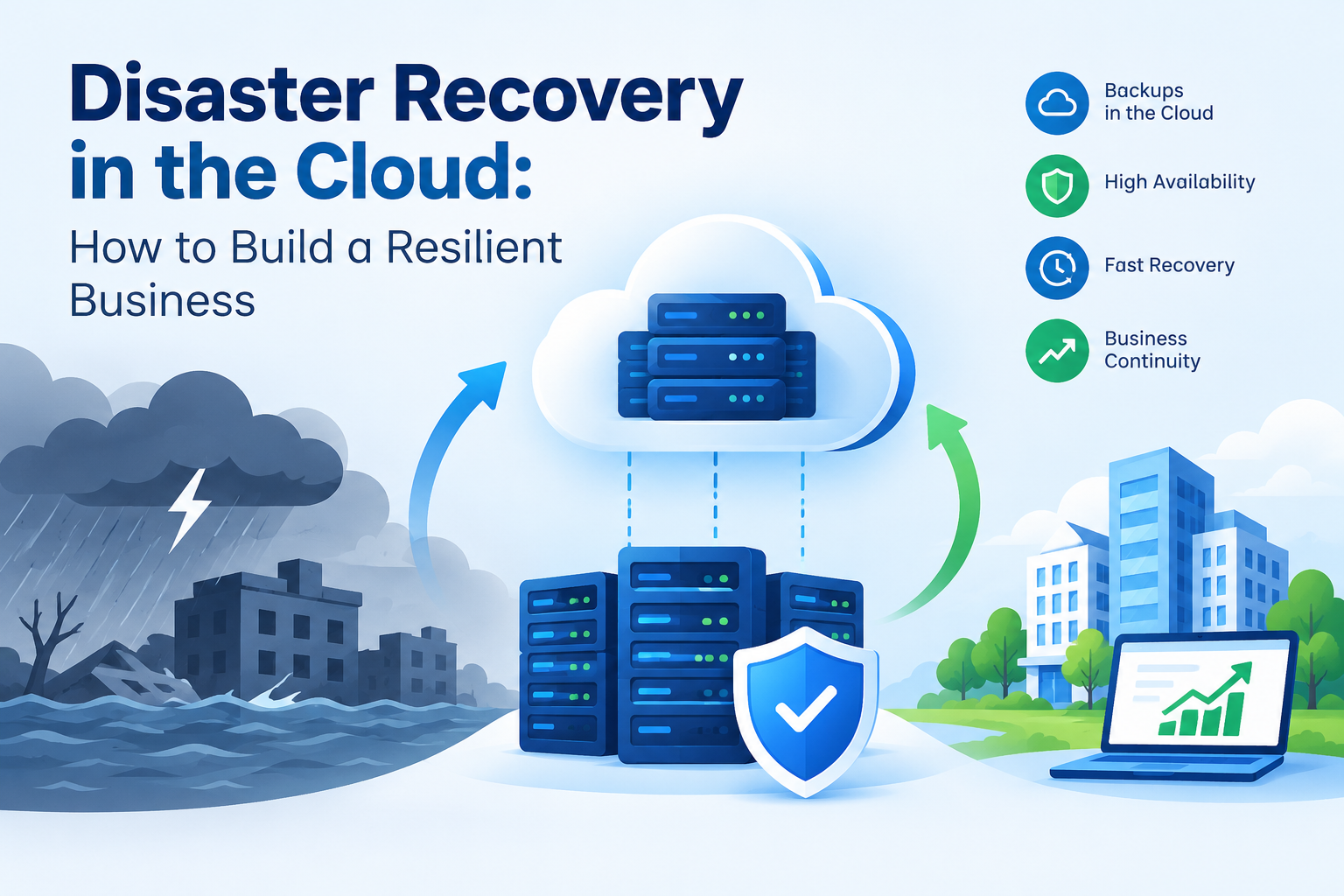
A business can face an unexpected IT disruption at any time. A server failure, cyberattack, system error, hardware problem, or natural disaster can make important applications and data unavailable. Even a short outage can affect employees, customers, revenue, and daily operations.
This is why cloud disaster recovery has become an important part of modern business planning. Cloud-based recovery gives organizations a way to protect important data, restore systems, and continue essential operations when their primary environment is disrupted.
However, disaster recovery is about more than keeping backup copies of files. Businesses need to understand which systems are critical, how much data they can afford to lose, and how quickly those systems need to be restored.
A well-planned recovery strategy can reduce downtime, improve preparedness, and help businesses respond more effectively when something goes wrong.
Cloud disaster recovery is an approach to protecting applications, data, and IT infrastructure by using cloud resources for backup, replication, and recovery. If the primary environment becomes unavailable, businesses can use their recovery environment to restore important workloads.
Unlike traditional recovery methods that may depend heavily on physical infrastructure at another location, cloud-based recovery can provide businesses with flexible recovery options. The exact setup depends on the organization's applications, data, budget, and recovery requirements.
A cloud recovery plan may include:
The goal is to ensure that important business systems can be brought back into operation when they are affected by an unexpected event.
Business continuity planning focuses on keeping essential business activities running during a disruption. Disaster recovery is one part of continuity planning, but the wider plan also considers employees, communication, customers, suppliers, and critical business processes.
For example, having a backup of customer information may not be enough if employees cannot access the application used to serve those customers.
A business continuity plan should identify:
This preparation allows teams to respond according to an established plan instead of making important decisions under pressure.
A good recovery strategy begins with understanding what needs to be protected. Not every application requires the same level of recovery.
Identify Critical Systems
Businesses should list important applications, databases, servers, files, and services. Each system should then be assessed according to its importance to daily operations.
A customer-facing platform may need to be restored within minutes, while an internal reporting application may be able to remain unavailable for several hours.
This classification helps businesses direct recovery resources toward their most important systems.
Create a Suitable Backup Plan
Backup and recovery should be based on the value and importance of the data. Critical information may require frequent backups, while less important data can follow a different schedule.
Businesses should also protect backup copies from accidental deletion, unauthorized access, and other threats. Maintaining multiple recovery points can provide additional options when restoring information.
Protect the Complete Environment
Backing up files alone may not be enough. Applications can depend on databases, servers, network settings, permissions, configurations, and other services.
A complete recovery plan should consider everything required to make a critical application operational again.
Understanding Recovery Time Objective
Recovery time objective, commonly known as RTO, defines how quickly a system should be restored after an outage.
For example, if a company sets an RTO of two hours for a critical application, its recovery process should be designed to restore that application within two hours.
Different systems can have different RTOs. A payment platform may require a much shorter recovery period than an internal reporting system.
Businesses should set realistic targets based on operational needs and available technology. Very short recovery times may require additional infrastructure, automation, or replication, which can increase costs.
What Is Recovery Point Objective?
Recovery Point Objective, or RPO, determines how much recent data a business can afford to lose after an incident.
For example, an RPO of 30 minutes means the organization should aim to recover data with no more than around 30 minutes of potential data loss.
RTO and RPO measure different aspects of recovery. RTO focuses on how quickly a system needs to return, while RPO focuses on how much recent data the organization can lose.
Understanding both helps businesses select appropriate backup schedules and recovery methods.
Cloud resilience is the ability of systems and applications to continue operating or recover quickly when failures occur.
A resilient environment does not depend entirely on one server, location, or infrastructure component. Businesses can reduce the impact of failures by using suitable redundancy, backups, monitoring, and recovery processes.
Organizations can improve cloud resilience by:
Technology is only one part of resilience. Employees, processes, documentation, and testing also play an important role.
Having backups does not guarantee that recovery will work when it is needed. Backup files can become incomplete, corrupted, outdated, or difficult to restore.
Regular testing allows businesses to confirm that their recovery procedures actually work.
During recovery tests, teams can check whether:
Testing can also reveal problems that may otherwise remain hidden until an actual outage occurs.
Common Cloud Disaster Recovery Mistakes
Businesses can create recovery plans but still face problems because of simple oversights.
Relying on One Backup
Keeping only one backup copy creates unnecessary risk. If that copy becomes unavailable or damaged, recovery options may be limited.
Skipping Recovery Tests
A backup that has never been restored should not automatically be considered reliable.
Setting Unrealistic RTOs
Recovery targets should match the organization's technology, budget, infrastructure, and operational requirements.
Ignoring Application Dependencies
Restoring one database or server may not be enough if the application depends on other services that remain unavailable.
Not Updating Recovery Plans
Infrastructure and business processes change over time. Recovery documentation should be reviewed whenever important systems or workflows change.
Businesses should treat disaster recovery as an ongoing process rather than a one-time project.
Start by identifying critical systems and defining realistic RTO and RPO requirements. Then select suitable backup and recovery methods based on those requirements.
Recovery procedures should clearly explain who is responsible for each task. Teams should also conduct regular tests and document the results.
Monitoring is equally important. Businesses need visibility into backup jobs, storage capacity, system availability, and recovery-related events so problems can be identified before they affect operations.
Companies that work with technology or staffing partners should also make sure responsibilities are clearly defined. For businesses seeking recruitment support, HiringGo can help connect organizations with professionals based on their workforce requirements, including technical and specialized roles.
A strong cloud disaster recovery strategy helps businesses prepare for unexpected outages and protect important systems and information. It combines backup and recovery, clear recovery objectives, testing, monitoring, and defined responsibilities.
Effective business continuity planning connects recovery activities with wider business needs, while cloud resilience helps organizations reduce the impact of infrastructure failures.
By setting a realistic recovery time objective, protecting critical workloads, and testing recovery procedures regularly, businesses can improve their ability to respond to disruptions.
Disaster recovery should not be treated as a backup task alone. It is an ongoing business practice that helps organizations protect operations, reduce downtime, and remain prepared when unexpected problems occur.
Frequently Asked Questions
1. What is cloud disaster recovery?
Cloud disaster recovery is a strategy that uses cloud infrastructure and services to protect data, applications, and IT systems and restore them after a disruption.
2. What is the difference between RTO and RPO?
RTO defines how quickly a system should be restored, while RPO defines how much recent data a business can potentially lose after an incident.
3. Why is backup testing important?
Backup testing confirms that stored data can actually be restored and that applications and systems can return to operation within the required recovery targets.
4. How does cloud resilience help a business?
Cloud resilience helps businesses reduce the impact of failures through appropriate redundancy, backups, monitoring, recovery processes, and regular testing.
5. How often should a disaster recovery plan be reviewed?
A disaster recovery plan should be reviewed regularly and whenever major changes are made to applications, infrastructure, business processes, or recovery requirements.










 India
India

 Canada
 United Kingdom
 New Zealand
 USA
USA
 UAE
UAE
 SGP
SGP
 Australia
 CALL
NOW
CALL
NOW