

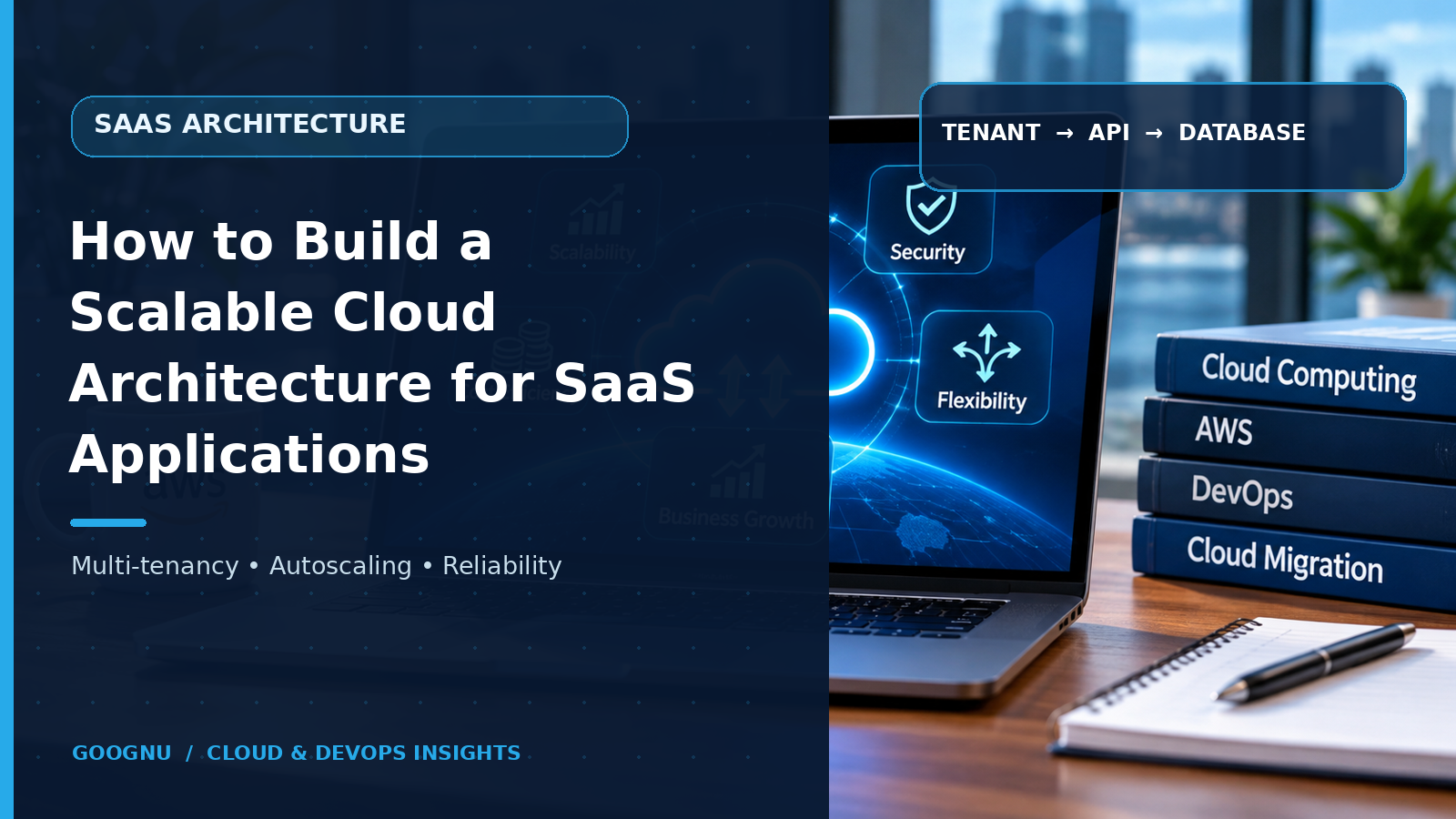
A SaaS application may work perfectly when it has 50 customers, but what happens when that number reaches 5,000? More users mean more requests, larger databases, increased storage needs and greater pressure on the infrastructure. If the original cloud setup cannot handle this growth, customers may experience slow loading times, service interruptions and performance issues.
Building a scalable cloud architecture from the beginning helps avoid these problems. It gives a SaaS product the infrastructure it needs to support more customers without requiring a complete redesign every time the business grows.
A well-planned SaaS cloud architecture is not simply about adding more servers. It involves choosing the right hosting model, managing customer data, preparing for traffic changes, protecting information and making sure every part of the application works reliably.
Start by understanding how your SaaS product will grow
Before selecting cloud services or designing the infrastructure, understand how customers will use the application.
A project management platform, for example, may have hundreds of small teams using it throughout the day. An online analytics product may receive large amounts of data from a smaller number of enterprise customers. Both are SaaS applications, but their infrastructure requirements are different.
Consider these questions:
How many customers do you expect during the first year?
Will users access the application from different countries?
Does the product process large files or frequent database requests?
Are there busy periods when traffic increases suddenly?
Do enterprise customers need separate data storage or additional security controls?
These answers help determine the resources, capacity and architecture required for the application.
It is also important to estimate future growth rather than building infrastructure only for the expected launch traffic. However, preparing for growth does not mean paying for resources that the application may not need for several years.
Choose a tenancy model that supports customer growth
One of the most important decisions in SaaS development is how different customers will share the application and its infrastructure.
In SaaS architecture, each customer or customer organisation is generally treated as a tenant. The application must manage each tenant's users, settings and data while allowing the service provider to operate the platform efficiently.
There are three common approaches.
Shared infrastructure: Multiple customers use the same application environment and database infrastructure. Customer records remain separated through tenant identifiers, access rules and application logic. This approach can reduce operating costs and simplify maintenance, but requires careful data isolation.
Dedicated infrastructure: Each customer receives separate application resources, databases or environments. This can suit organisations with strict security, compliance or performance requirements. However, managing individual environments becomes more expensive as the customer base increases.
Hybrid infrastructure: Some components are shared, while selected customers receive dedicated resources. For example, smaller customers may use a shared database environment, while enterprise customers receive separate databases.
There is no single tenancy model that suits every SaaS product. The right decision depends on customer expectations, pricing, security requirements and expected growth. Microsoft also highlights these trade-offs in its guidance on multitenant architecture.
Design the application in layers, not as one large system
A cloud application becomes difficult to maintain when its user interface, business logic, database operations and background tasks are tightly connected. A change in one area can affect several others.
A layered architecture separates these responsibilities, making the application easier to update and expand.
A typical SaaS application can include the following layers:
Presentation layer: This is where customers interact with the product through a web browser or mobile application. It handles the user interface and sends requests to the application through secure connections.
Application layer: This layer processes business rules, user requests and application operations. It can run on virtual machines, containers or managed application services, depending on the product's needs.
Data layer: Databases and storage services hold customer information, application records, documents and other business data. Access must be controlled according to tenant permissions.
Integration layer: APIs and messaging services allow the application to communicate with payment platforms, email services, reporting tools and other external systems.
Separating these layers makes it possible to improve one part of the application without rebuilding the entire platform. For instance, the development team can increase application capacity when traffic rises without making unnecessary changes to the database.
Prepare the infrastructure for changing traffic
Customer activity rarely remains constant throughout the day. A SaaS application may experience a sudden increase in requests after a product announcement, during business hours or when customers run monthly reports.
This is where cloud scaling becomes important.
There are two main ways to increase infrastructure capacity:
Vertical scaling: Increase the resources available to an existing server, such as its memory, processing power or storage capacity.
Horizontal scaling: Add more application instances so that requests can be distributed across multiple servers or containers.
Horizontal scaling is often useful for SaaS applications that need to support a growing number of customers. A load balancer can distribute incoming requests across available application instances instead of sending every request to one server.
Auto-scaling can also adjust resources according to demand. When traffic increases, additional instances can be started. When demand falls, unnecessary capacity can be reduced.
However, adding more application instances is not enough if the database remains a bottleneck. Database capacity, connection limits, caching and query performance must also be considered.
Keep customer data separate and protected
A shared SaaS environment can serve many customers, but it must never allow one customer to access another customer's information.
Tenant isolation should be part of the architecture from the beginning. It should not depend only on developers remembering to add a tenant condition to every database query.
Use authenticated identities, role-based permissions and server-side access checks to control which records a user can access. Tenant context should be established and verified throughout the request process.
Database design also needs attention. Depending on the tenancy model, customer information may be stored in shared tables with tenant identifiers, separate schemas or individual databases.
Encryption should protect sensitive information both while it travels across networks and while it is stored. Access logs, regular security reviews and secure backup practices provide additional protection.
For SaaS products serving customers with different compliance requirements, data location and retention rules should also influence infrastructure decisions.
Make the database ready for more customers
As a SaaS application grows, its database often becomes one of the busiest parts of the system. More customers create more records, queries, transactions and reporting requests.
A database that performs well during early development may struggle when thousands of users access it at the same time.
Start with a database design that reflects how the application stores and retrieves information. Avoid unnecessary queries, review slow database operations and create indexes for frequently searched fields.
Caching can reduce repeated database requests. Frequently accessed information, such as application settings or commonly viewed records, can be stored temporarily so the system does not need to retrieve it from the database every time.
For larger workloads, read replicas, partitioning or sharding may help distribute database activity. These approaches should be introduced when actual performance needs justify them, rather than adding complexity too early.
Build reliability into everyday operations
A scalable application must also remain available when individual components fail. A server outage, network issue or database problem should not bring the entire service to a halt.
Use multiple application instances and distribute them across appropriate availability zones where the cloud platform and application design support it. Set up regular backups and test the recovery process to confirm that important data can be restored.
Monitoring is equally important. Track application response times, CPU and memory usage, database performance, failed requests and unusual traffic patterns. Alerts can help the operations team identify problems before they affect a large number of customers.
For applications serving customers in different regions, content delivery networks can help deliver static files, images and other content from locations closer to users.
A clear incident response process also matters. Teams should know how to investigate issues, restore services and communicate with customers when an interruption occurs.
Automate deployments before manual work becomes difficult
A growing SaaS application receives regular updates, bug fixes and new features. If every release requires manual server configuration and lengthy deployment steps, development becomes slower and mistakes become more likely.
Use CI/CD pipelines to automate building, testing and deploying application changes. Infrastructure as Code tools can also help teams create and manage cloud resources through version-controlled configuration files.
Before releasing an update to every customer, consider testing it with a smaller group or a limited part of the infrastructure. This reduces the risk of a faulty release affecting the entire platform.
Automation should also cover routine tasks such as resource configuration, environment creation and backup scheduling. It gives development and operations teams more time to focus on application improvements.
Control cloud costs as usage increases
More customers usually mean higher infrastructure consumption, but cloud spending should grow in a controlled way.
Monitor resource usage and identify services that remain underused. Choose suitable compute sizes, review storage requirements and remove resources that are no longer needed.
It is also useful to understand how much each tenant consumes. Tracking usage by customer can help identify unusually high resource consumption and support pricing decisions.
For example, if one enterprise customer generates significantly more database traffic than other customers, the provider can review whether that workload needs dedicated resources or a different service tier.
Cost management should be an ongoing part of SaaS cloud architecture, not a task reserved for the end of the financial year.
How Goognu UK can support your cloud architecture plans
Building a SaaS platform that can support customer growth requires decisions across infrastructure, application design, security, data management and operations. Goognu UK helps businesses plan and improve their cloud environments around their technical requirements and future needs.
Whether you are developing a new SaaS product or reviewing an existing cloud setup, the focus should be on creating an architecture that supports growth without making the system unnecessarily complicated or expensive.
Frequently Asked Questions
1. What is SaaS cloud architecture?
SaaS cloud architecture is the structure of cloud-based infrastructure and application components used to deliver software over the internet. It includes application hosting, databases, networking, security, storage and monitoring.
2. Why is multitenancy important for SaaS applications?
Multitenancy allows multiple customers to use the same software platform while keeping their information and access separate. It can reduce infrastructure costs and simplify application management when designed with proper isolation.
3. Which cloud platform is best for SaaS applications?
AWS, Microsoft Azure and Google Cloud all offer services for hosting SaaS applications. The right platform depends on application requirements, existing technology, security needs, team experience and budget.
4. How can a SaaS application handle sudden traffic increases?
Load balancing, horizontal scaling, auto-scaling, caching and database optimisation can help applications manage changing demand. Monitoring also helps teams identify capacity problems early.
5. When should a SaaS business review its cloud architecture?
Review the architecture when customer numbers increase, application performance changes, infrastructure costs rise or new security and compliance requirements appear. Regular reviews also help identify problems before they affect customers.